Box Mockup: A Practical Tool for Design Presentations
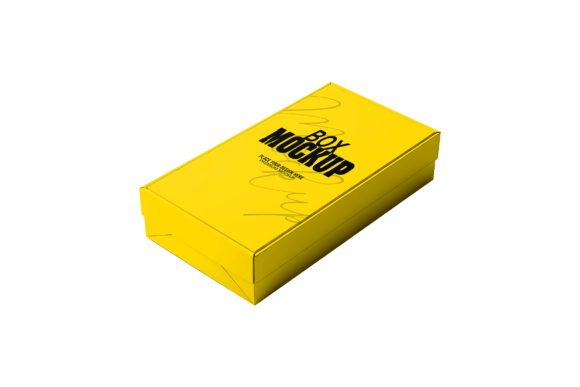
When it comes to presenting product designs or visual concepts, a well-crafted mockup can make all the difference. Among the many tools available, the Box Mockup stands out as a versatile and effective option for designers seeking clarity and professionalism in their work. Whether you're showcasing packaging, branding, or 3D product visuals, a Box Mockup helps bridge the gap between concept and reality.
What Is a Box Mockup?
A Box Mockup is a digital template used to visualize how a design will look on a three-dimensional box or package. It typically comes in the form of a Photoshop file (PSD) that allows users to insert their designs using Smart Objects. This feature enables easy editing while maintaining high-quality resolution and realistic depth. The result is a lifelike preview that can be used for client presentations, marketing materials, or portfolio displays.
Why Use a Box Mockup?
Designers often rely on mockups to communicate ideas more effectively. A Box Mockup provides a tangible sense of how a design will appear in a real-world context. This is especially valuable when presenting packaging concepts, promotional boxes, or branded containers. It eliminates guesswork and allows stakeholders to visualize the final product before production begins.
Moreover, using a Box Mockup streamlines the design review process. Instead of relying on flat images or sketches, designers can offer a dynamic preview that reflects lighting, texture, and spatial relationships. This realism can be crucial when trying to secure client approval or pitch a product to investors.
Key Benefits of Using Box Mockups
- High-Quality Visuals: Most Box Mockups are created with high-resolution textures and realistic lighting, ensuring professional-grade output.
- Easy to Edit: With Smart Object support, users can quickly update design elements without affecting the overall structure of the mockup.
- Time-Saving: Creating a realistic 3D box from scratch takes time. Mockups provide a ready-made solution that can be customized efficiently.
- Consistency: Mockups help maintain visual consistency across different design iterations and presentations.
Considerations and Tradeoffs
While Box Mockups offer many advantages, they are not always the best choice for every project. One potential drawback is the level of customization. Some mockups are highly detailed but may not allow for extensive modifications beyond inserting your design. If a project requires unique angles, materials, or environmental settings, a custom 3D render might be more appropriate.
Additionally, the quality of a Box Mockup can vary depending on the source. Free or low-cost options may lack the resolution or flexibility needed for professional use. It’s important to evaluate the file type (such as PSD support), layer organization, and compatibility with your design software before committing to a particular mockup.
When a Box Mockup Is the Right Choice
A Box Mockup is ideal for designers who need to present packaging or box-based designs quickly and effectively. It’s especially useful in the following scenarios:
- Client Presentations: Offering a realistic preview can help clients understand the final product and make informed decisions.
- E-Commerce Product Displays: Online retailers can use mockups to showcase product packaging before manufacturing begins.
- Portfolio Development: Designers can enhance their portfolios with high-quality visuals that demonstrate real-world applications of their work.
- Marketing Materials: Mockups can be used in promotional content to visualize new product launches or packaging redesigns.
When to Consider Alternatives
If your project involves complex 3D modeling or requires animation, a Box Mockup may not provide the flexibility you need. In such cases, investing in full 3D modeling software or custom renders could be more appropriate. Similarly, if you're designing for a highly specialized industry—such as medical packaging or industrial containers—you may need mockups that reflect specific materials or structural details not covered by standard templates.
For those with advanced design skills, creating custom mockups from scratch using tools like Blender or Cinema 4D can offer greater control and originality. However, this approach requires more time and technical expertise, making pre-made Box Mockups a more practical option for many professionals.
Practical Insights for Choosing the Right Mockup
When evaluating a Box Mockup, consider the following factors:
- File Compatibility: Ensure the mockup is compatible with your software—most commonly Adobe Photoshop (PSD format).
- Editability: Look for mockups that support Smart Objects for easy design insertion and adjustments.
- Resolution: High-resolution files are essential for print and professional use. Avoid mockups that appear pixelated or blurry.
- Customization Options: Some mockups allow for background changes, lighting adjustments, and material swaps, which can enhance the realism of your presentation.
- Licensing: Always check the licensing terms to ensure you can use the mockup for both personal and commercial projects without restrictions.
Conclusion: Is a Box Mockup Right for You?
For many designers, a Box Mockup offers the perfect balance between quality, efficiency, and ease of use. It provides a professional way to present designs without the need for complex 3D rendering skills. If your work involves packaging, product branding, or client-facing design presentations, investing in a high-quality Box Mockup can significantly enhance your workflow and outcomes.
However, it's important to align your choice with your project’s specific needs. If you require extensive customization or have unique design challenges, exploring alternatives such as custom 3D modeling or industry-specific templates might be worthwhile. Ultimately, the goal is to select a tool that supports your creative vision while delivering clear, impactful results.
Whether you're a seasoned designer or just starting out, the Box Mockup remains a reliable and practical choice for bringing your ideas to life in a visually compelling way.