Easter Egg Laser Cut File: Crafting Elegance for Spring Decor
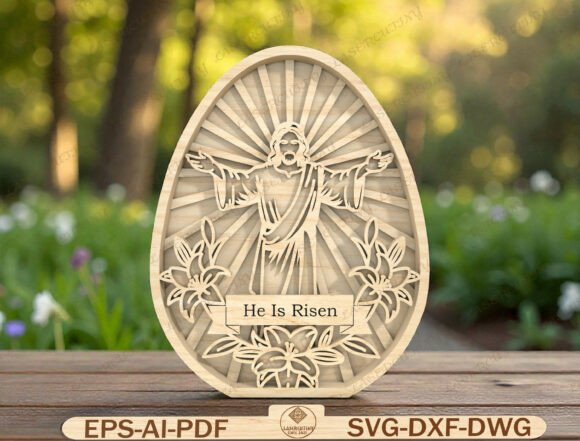
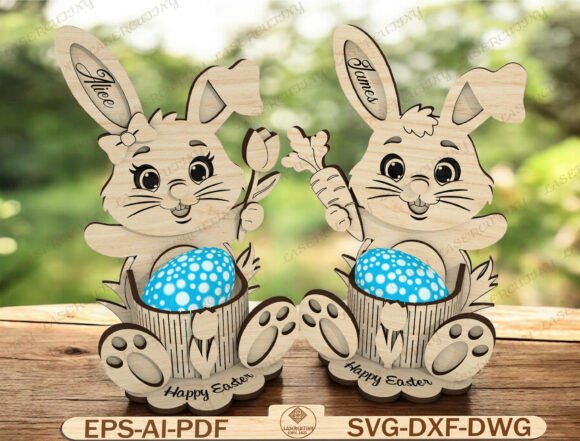
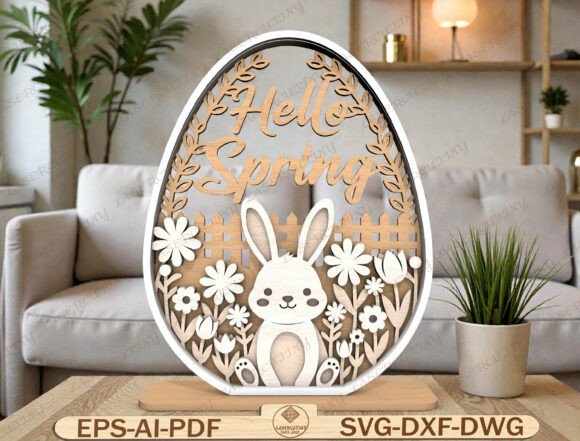
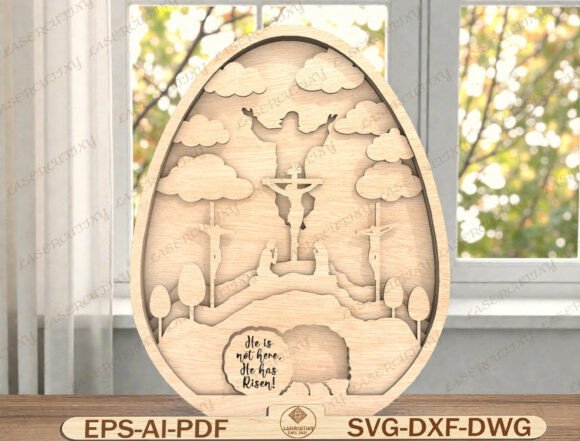
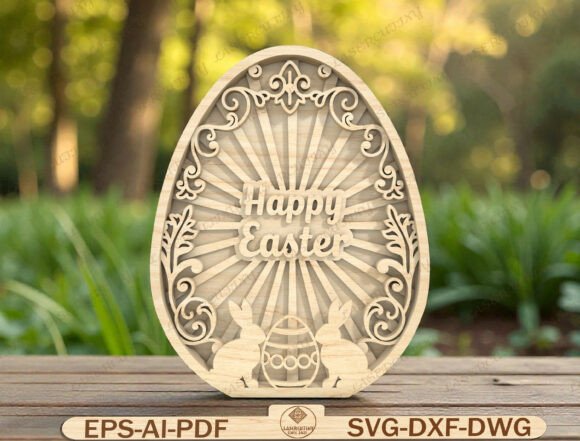
Creating eye-catching Easter decorations doesn’t have to be complicated. With the right Easter Egg Laser Cut File, you can bring a touch of springtime charm to your home or craft business using precision-cut wooden layers. This digital download offers a timeless “Happy Easter” design complete with decorative scrollwork, a sunburst backdrop, and playful bunny silhouettes. Whether you’re assembling a tiered tray display or crafting a unique table centerpiece, this layered egg design brings elegance and seasonal joy to any space.
What Makes the Easter Egg Laser Cut File Special?
This design is crafted with clean, detailed layers that ensure smooth laser cutting and straightforward assembly. It’s compatible with a wide range of machines including Glowforge, Cricut (flat version), Silhouette Designer Edition, and CNC routers. The included file formats—SVG, DXF, AI, EPS, PDF, and DWG—make it versatile for both hobbyists and professionals. Its adaptability makes it a favorite for farmhouse Easter decorations, DIY holiday gifts, and craft fair favorites.
Common Mistakes When Choosing or Using Laser Cut Files
While laser cut files like this one offer great value and creative potential, it’s easy to overlook key details that affect the final result. Here are some common missteps and how to avoid them.
1. Not Checking File Compatibility
One of the most frequent oversights is downloading a file without confirming it works with your specific machine. While the Easter Egg Laser Cut File supports many platforms, not all digital downloads are created equal. Some may only include SVG or DXF formats, which might not work with your software or hardware.
Better approach: Always check the list of included formats before purchasing. Confirm compatibility with your laser cutter or CNC machine. If unsure, contact the seller for clarification or request a sample file.
2. Underestimating Material Thickness
Layered wood projects rely on precise spacing and fit. If you’re using a material that’s too thick or too thin, the pieces may not align properly, leading to a wobbly or misshapen final product.
Better approach: Match the design to the recommended material thickness. If no recommendation is provided, test with scrap wood first. A 1/8” or 3mm plywood or MDF typically works well for most layered laser cut projects.
3. Skipping the Test Cut
Some users jump straight into cutting the final piece without running a test on scrap material. This can lead to wasted time and materials if adjustments are needed.
Better approach: Run a quick test cut on a spare piece of wood. Check for tightness of fit, edge burn, and overall alignment. Adjust power and speed settings as needed before committing to your main material.
4. Ignoring Layer Order and Assembly Instructions
Layered designs like the Easter Egg Laser Cut File require careful attention to order and orientation. Skipping or misplacing a layer can ruin the visual impact of the final piece.
Better approach: Follow the assembly instructions provided with the file. If none are included, label each layer as you cut them. Use a light adhesive like wood glue or spray adhesive to hold pieces in place during assembly.
Choosing the Right Design for Your Purpose
Not every laser cut file is suited for every project. The Easter Egg Laser Cut File is ideal for spring decor, but if you’re planning a different type of holiday or event, you’ll want to find a design that fits the theme and scale of your intended use.
What to check before purchasing:
- Are the included file types compatible with your machine?
- Is the design complexity suitable for your skill level?
- Does the file include assembly instructions or tips?
- What material thickness is recommended?
- Is the design scalable without losing detail?
How to Maximize the Value of Your Digital Download
Since this is a digital product, there’s no physical item to inspect before purchase. That’s why it’s crucial to evaluate the seller’s reputation and the clarity of the product description.
Better approach: Look for sellers who offer clear previews, detailed descriptions, and responsive customer support. Read reviews from other buyers to gauge the file’s usability and the seller’s reliability.
Realistic Examples: What Works and What Doesn’t
Example 1: A crafter buys a laser cut file labeled as “Easter Egg Design” but only finds a single-layer SVG file without assembly instructions. She struggles to recreate the 3D effect she expected.
Better choice: She chooses the Easter Egg Laser Cut File, which includes multiple formats and layered components clearly labeled for easy assembly. Her final piece looks professional and becomes a hit at her local craft market.
Example 2: A beginner uses a thick acrylic sheet thinking it will look more durable, but the layers don’t fit together due to the material’s rigidity and lack of flexibility.
Better choice: He selects a 1/8” birch plywood, which allows for snug fitting layers and a polished finish. He sands and paints the pieces for a clean, professional look.
Final Thoughts: Make Informed Choices for Better Results
The Easter Egg Laser Cut File is more than just a seasonal design—it’s a versatile and reusable digital asset that brings value to your creative projects. By avoiding common mistakes and making informed choices, you’ll save time, reduce material waste, and enjoy better results every time.
Whether you’re crafting for your home, creating gifts, or selling at a market, attention to detail when selecting and using your laser cut files makes all the difference. Take a moment to double-check compatibility, material needs, and assembly steps before you begin. With a little planning, your Easter decorations will shine season after season.